Managing a website project can be a complicated endeavor when attempting to gather the appropriate information due to the lack of detail that is typically provided by the client, and the multiple back-and-forths that occur between the developer and the client to clarify feedback for the actual site issue. For instance, the client sends an email stating, “The homepage looks off,” without providing any screenshot or explanation of the device or browser used. After you request further details about the problem, the client eventually provides only partial information several hours later. The overall time it may take to fix the issue is less than the total time to clarify the feedback.
This inefficient communication between the client and the project manager or developer is typical in the web development and design process, and is the exact problem BugHerd is solving.
BugHerd is not a complete project management solution; it is uniquely focused on providing a structured way to collect feedback and report bugs on websites, from clients to developers, in a format that makes understanding, collecting and responding to the feedback as simple as possible. With the product as a point of reference, its main purpose is to reduce the friction experienced by the client, project manager and developer during the development process.
To further understand how this tool works, let’s take a closer look at how it operates.
Why Traditional Bug Reporting Slows Teams Down
Most teams already have tools for communication and task management. The issue is not a lack of systems; it’s that feedback is scattered across too many of them.
Comments come through email.
Clarifications happen in Slack.
Tasks get recreated in Jira or Trello.
Screenshots are uploaded separately.
When bug reporting relies on this fragmented process, details often get lost. Developers need very specific context to fix an issue properly. They need to know the browser version, operating system, device type, screen resolution, and exact URL. Without that information, they spend unnecessary time trying to reproduce the issue before they can even start fixing it.
This is where BugHerd changes the workflow in a meaningful way.
What BugHerd Actually Does
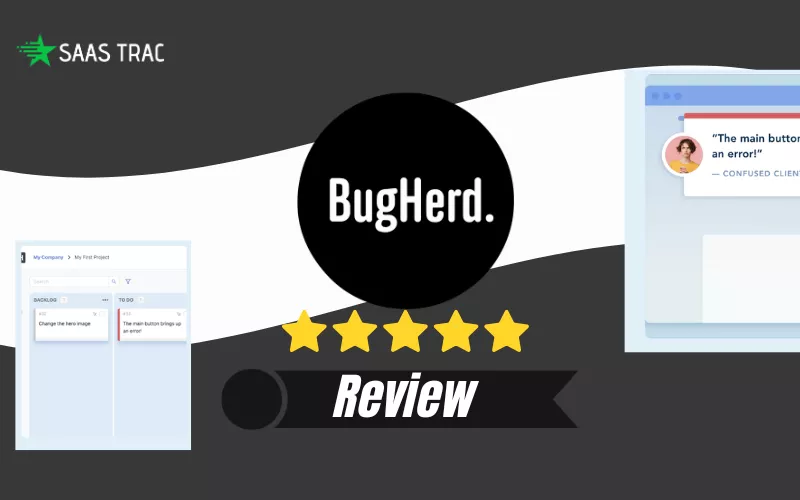
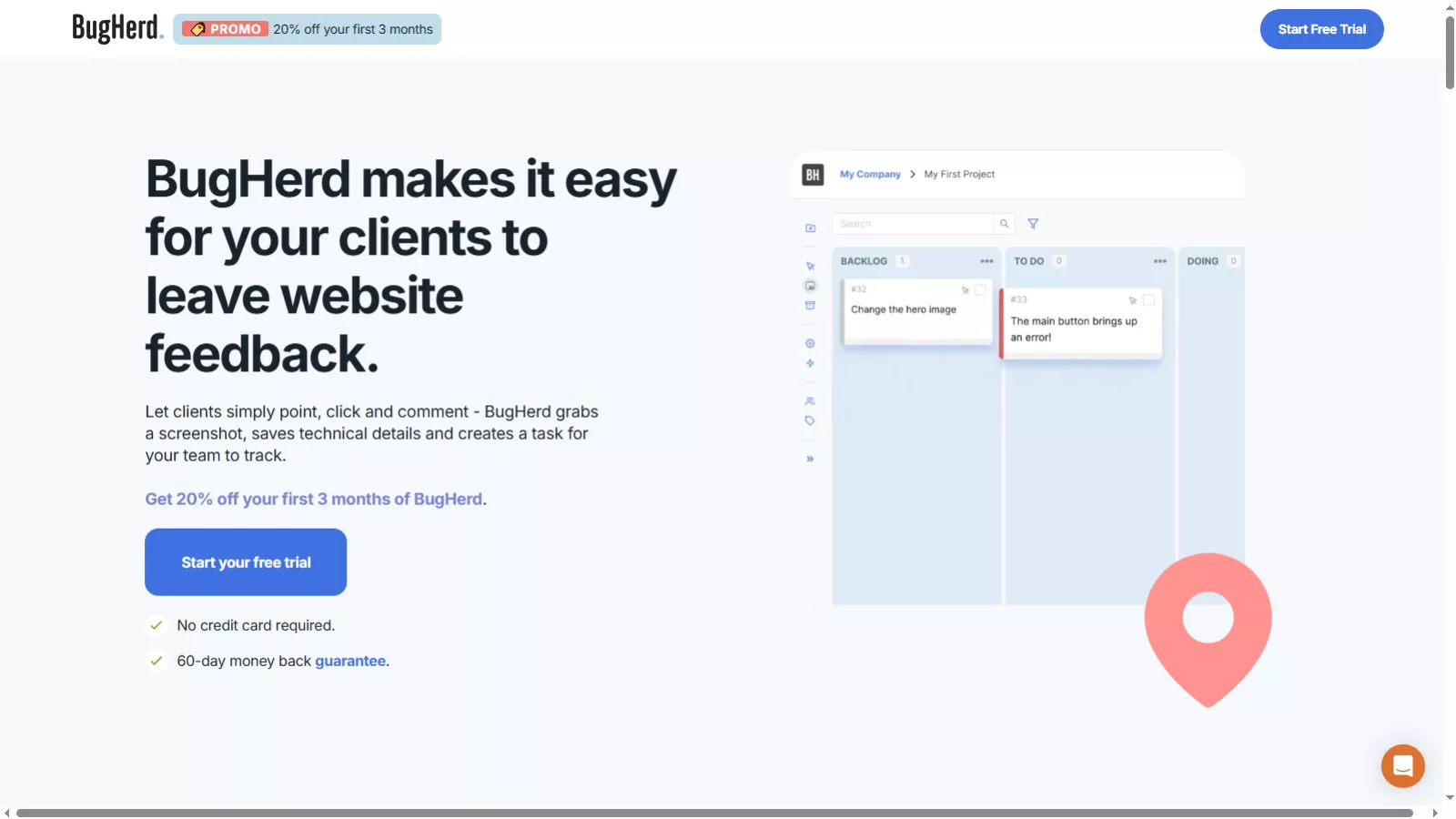 BugHerd is a tool used for reporting visual bugs and website feedback on web projects. Rather than making the client/stakeholders use several different tools to describe an issue found, BugHerd allows them to leave their feedback right on the live website.
To report an issue, a user clicks on the page where they found the issue, drops a pin on the exact location of the issue element on the page, and types a comment about the issue. This is all that is necessary to submit their feedback.
When the user submits their comment, BugHerd automatically creates a screenshot of the selected area, including technical metadata such as the type of browser they are using, the operating system, the screen resolution, and device type, and the URL of the page. These are attached to the comment automatically, which removes the need for follow-up questions for context.
Once their comments are submitted, they become structured tasks in the BugHerd’s built-in task board. This is where BugHerd goes from just collecting simple feedback to being a viable bug tracking tool.
Getting Started: Setup and BugHerd Login
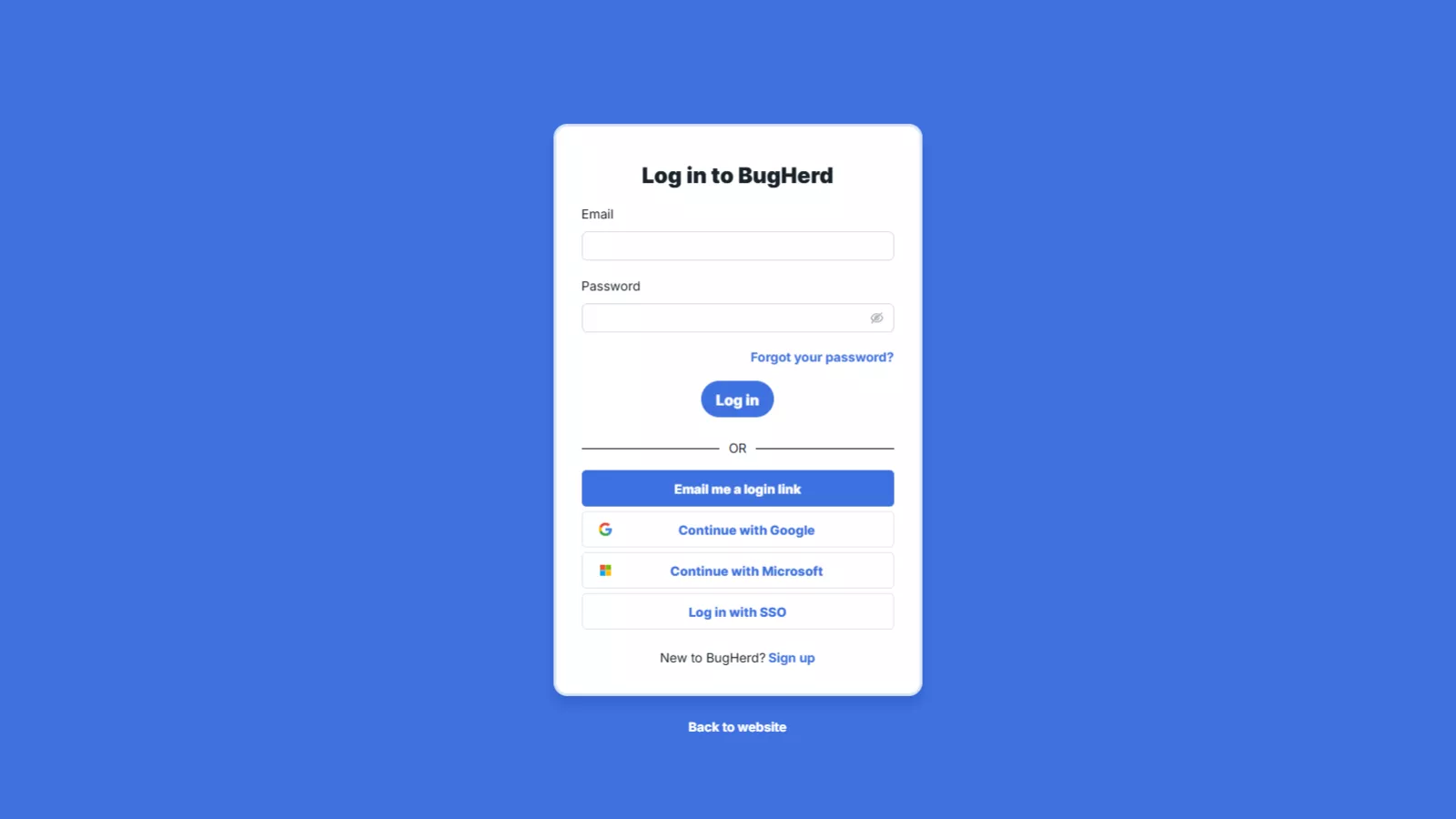 One of the most important aspects of any collaboration tool is how easy it is to implement. BugHerd keeps setup simple. You can either install a browser extension or add a small line of JavaScript code to your website. Once installed, it overlays directly onto your site.
The bugherd login process is straightforward for team members who need access to the dashboard. They log in, manage projects, assign tasks, and track progress. Clients and external reviewers, however, don’t necessarily need to create accounts to leave feedback. You can share a link with them, and they can begin pinning comments immediately.
This low barrier to entry makes a noticeable difference. Clients are far more likely to provide clear feedback when they don’t have to go through an onboarding process just to report a bug.
Once feedback starts coming in, organization becomes the next priority.
From Feedback to Structured Task Management
Every comment left on the website appears inside BugHerd’s built-in Kanban-style task board. Each pinned note becomes a task card that can be assigned, prioritized, given a due date, and moved across workflow columns.
The board is flexible. Teams can rename columns, reorder them, and structure the workflow according to how they operate. This allows BugHerd to adapt to different team processes rather than forcing a rigid structure.
If your team already uses project management tools such as Jira, Trello, Asana, ClickUp, or Slack, BugHerd integrates with them. Tasks can sync automatically, ensuring that bug reporting does not create duplicate work across platforms.
This seamless transition from feedback to action is what makes BugHerd particularly effective.
Why BugHerd Improves Bug Reporting Efficiency
The real value of BugHerd lies in how it eliminates guesswork. When someone reports a problem using traditional methods, developers often need additional clarification before they can act. With BugHerd, that context is captured automatically.
Developers receive:
- A visual screenshot
- Exact page location
- Technical environment details
- Clear task assignment
This dramatically reduces the time spent investigating issues. Instead of recreating conditions or requesting more information, developers can focus directly on solving the problem.
For teams managing multiple projects simultaneously, this efficiency compounds quickly. Fewer clarification cycles mean faster delivery and fewer communication breakdowns.
Where BugHerd Fits Best
BugHerd is particularly useful in environments where website collaboration is frequent and structured.
For web design agencies, it centralizes client feedback in one place instead of across scattered communication channels. For development teams, it streamlines bug reporting by attaching the necessary technical context automatically. For project managers, it provides visibility into progress, priorities, and completion status.
It is especially valuable during quality assurance and user acceptance testing phases. At this stage, multiple stakeholders are reviewing the site, and feedback can become overwhelming. BugHerd keeps everything visible and prevents duplicate reports by allowing everyone to see what has already been submitted.
Because feedback remains attached directly to the website interface, there is far less confusion about which element is being discussed.
Understanding the Limitations
BugHerd is intentionally focused. It is not designed to replace survey tools, behavior analytics platforms, or heatmap software. It does not provide session replays or in-depth user research capabilities. It is also not built specifically for native mobile app bug tracking.
If your primary need is behavioral insight or survey distribution, you will still require separate tools. However, if your main objective is improving website feedback and bug reporting workflows, BugHerd performs that task exceptionally well.
Its strength comes from doing one thing properly rather than attempting to cover every possible use case.
BugHerd Pricing Explained: Which Plan Is Right for You?
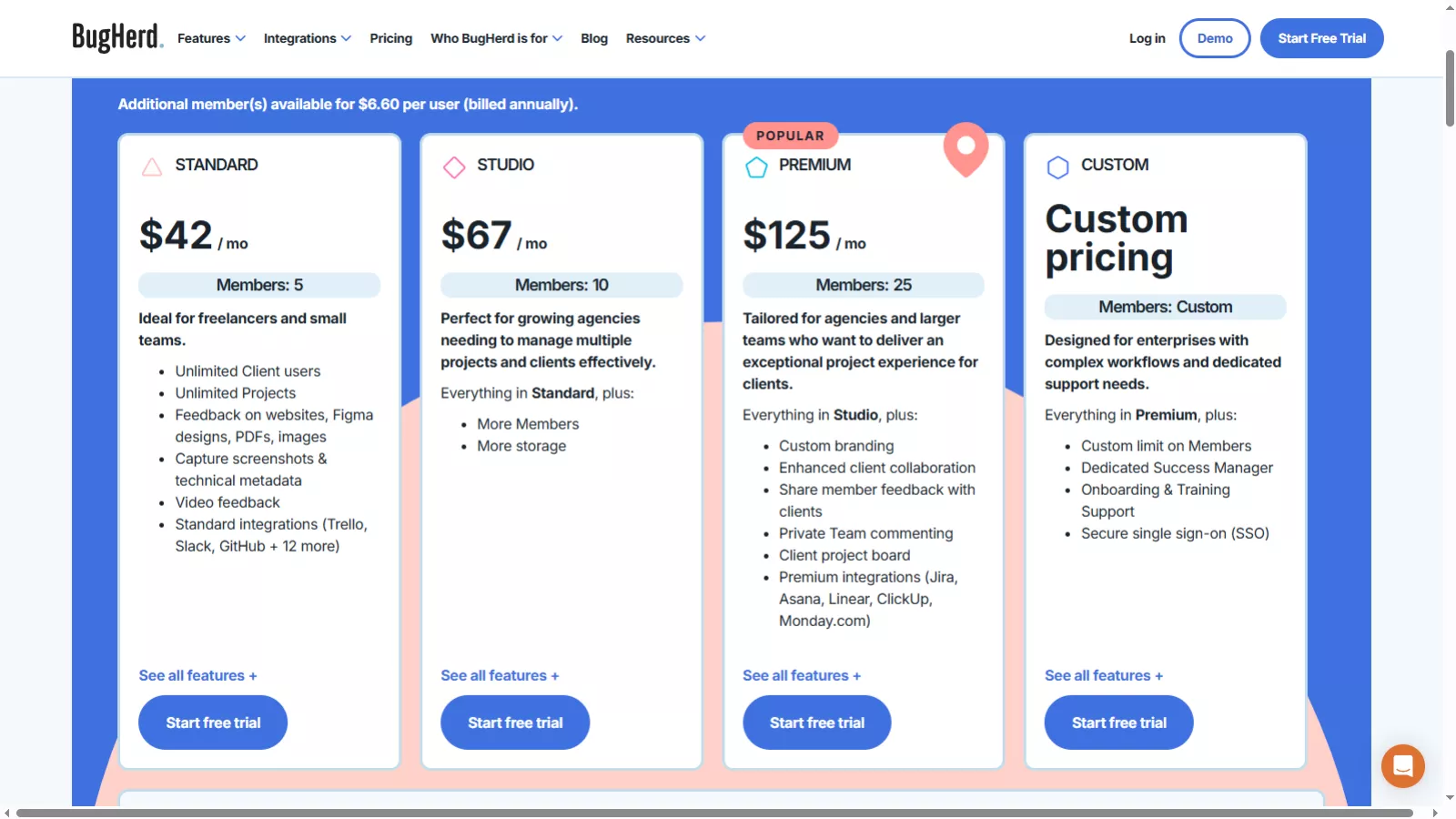 Choosing the right BugHerd plan really depends on the size of your team, the number of clients you manage, and how advanced your collaboration needs are. While all plans include the core bug reporting and visual feedback functionality, each tier adds more flexibility, team capacity, and advanced workflow features.
Let’s walk through each one in detail.
Standard Plan – $42/month (5 Members)
The Standard plan is ideal for freelancers and small teams that want a clean, organized way to manage website feedback without unnecessary complexity.
For $42 per month (billed annually), you can add up to five team members. What makes this plan particularly attractive is that client users are unlimited. That means you can invite as many clients as you want to leave feedback without increasing your subscription cost.
At this level, you get the full core BugHerd experience. You can collect feedback directly on live websites, Figma designs, PDFs, and even image files. When someone leaves a comment, BugHerd automatically captures a screenshot and technical metadata such as browser type, operating system, and screen resolution. This makes bug reporting much clearer and eliminates back-and-forth clarification.
The Standard plan also includes video feedback, which is especially helpful when explaining visual or interaction-related issues. In addition, it integrates with popular tools like Trello, Slack, GitHub, and over a dozen others, making it easy to plug into your existing workflow.
If you’re a freelancer building client websites or a small design team handling a few projects at a time, this plan gives you everything you need to manage feedback professionally.
Studio Plan – $67/month (10 Members)
The Studio plan is designed for growing agencies that need more room to collaborate.
At $67 per month, the biggest difference from Standard is team expansion. You can add up to ten team members, making it more suitable for agencies juggling multiple clients and projects simultaneously.
You still get everything included in the Standard plan—unlimited projects, unlimited client users, visual bug reporting, technical metadata capture, and integrations. However, Studio offers increased storage and greater scalability for teams that are expanding their operations.
This plan is ideal if your agency has moved beyond a small core team and now includes designers, developers, project managers, and QA testers who all need access. It provides the structure necessary for growth without jumping into enterprise-level pricing.
If you’re scaling but not yet operating at a large-agency level, Studio usually hits the sweet spot between affordability and flexibility.
Premium Plan – $125/month (25 Members)
The Premium plan is BugHerd’s most popular option, and it’s easy to see why.
At $125 per month, you can add up to 25 team members, making it suitable for established agencies and larger teams that want a more refined collaboration experience.
In addition to everything included in the Studio plan, Premium introduces advanced features focused on presentation, privacy, and workflow depth.
One of the biggest additions is custom branding, which allows agencies to present BugHerd under their own brand identity. This is particularly valuable if you want to offer a polished, white-labeled client experience.
Premium also enhances client collaboration. You can create dedicated client project boards, manage private internal team comments, and control how internal discussions are shared externally. This separation between internal and client-facing communication is crucial for larger teams handling complex feedback loops.
Another significant advantage is access to premium integrations, including tools like Jira, Asana, Linear, ClickUp, and Monday.com. These integrations make it much easier to sync tasks with more advanced project management ecosystems.
If your agency is handling multiple large clients and wants structured workflows, deeper integrations, and a more professional presentation layer, Premium is often the best choice.
Custom Plan – Enterprise-Level Flexibility
The Custom plan is built for enterprises and large organizations with complex workflows and strict security requirements.
Instead of fixed pricing, this plan is tailored to your needs. The number of team members can be customized, and you receive everything available in the Premium plan plus additional enterprise-level features.
One of the key benefits here is access to a Dedicated Success Manager, who helps with onboarding, training, and long-term optimization of your BugHerd setup. This can be incredibly helpful for larger teams that require structured implementation.
The Custom plan also includes secure Single Sign-On (SSO), which is essential for organizations with strict IT and security policies.
If you’re running a large digital department or enterprise-level agency and require advanced control, personalized support, and scalable infrastructure, this is the plan designed for you.
How to Decide Between Plans
The main differences between BugHerd pricing tiers come down to three factors:
- Team size
- Level of client collaboration needed
- Integration and branding requirements
If you’re a freelancer or small team, Standard will likely cover all your needs.
If you’re growing and adding more team members, Studio provides better scalability.
If you want advanced integrations, internal privacy controls, and branding customization, Premium offers significant value.
If you need enterprise-grade security and dedicated support, Custom is the logical step.
Final Thoughts
BugHerd is not a flashy or overly complex tool. It does not attempt to manage your entire organization. Instead, it focuses on simplifying website feedback and making bug reporting more structured and efficient.
By keeping feedback directly on the website and automatically attaching technical details, it removes one of the most common pain points in web development projects: unclear communication.
For agencies, development teams, and project managers who regularly handle client feedback, BugHerd can significantly reduce friction and speed up project cycles. Its simple setup, smooth bugherd login experience, organized task board, and scalable bugherd pricing structure make it a practical addition to modern web workflows.
If messy feedback loops are slowing your projects down, BugHerd is not just another tool to consider it’s a focused solution designed specifically to fix that problem.