
Landing pages don’t need to be complicated to work well. They need to load fast, look credible, and guide visitors toward a single action. That’s the exact space Leadpages has operated in for years—and in 2026, it’s still one of the most talked-about tools for building conversion-focused pages without touching code.
In this in-depth Leadpages review, I’ll walk through how the platform actually performs today, what it does well, where it falls short, and who it’s best suited for. This is based on hands-on evaluation, real workflows, and how it compares to more advanced (and expensive) alternatives.
What Is Leadpages?
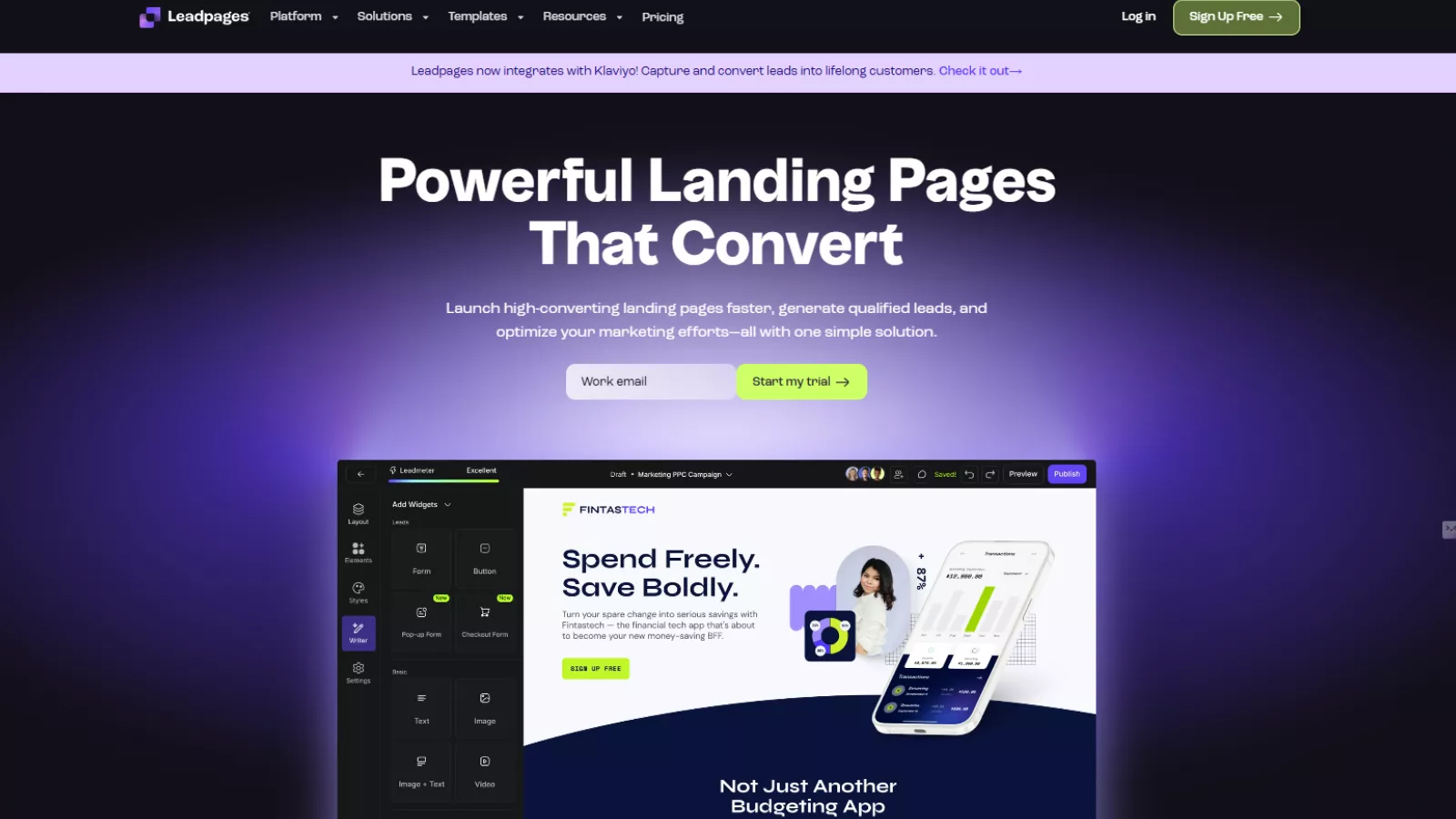
Leadpages is a dedicated landing page builder designed for lead generation and conversion optimization. Unlike all-in-one marketing platforms, it focuses on doing a few things well—creating landing pages, popups, and alert bars that convert.
It’s built primarily for solopreneurs, small businesses, marketers, and creators who want results without complexity. You won’t find extreme design freedom here, but you will find speed, simplicity, and proven layouts.
First Impressions and Dashboard Experience
One of the strongest aspects of Leadpages is how easy it is to get started. Account setup is quick, and once you’re inside the dashboard, everything feels intentionally uncluttered.
The interface is clean and intuitive. Navigation lives in a simple sidebar, and key sections like landing pages, popups, integrations, analytics, and settings are easy to access without hunting through menus. Whether you’re new to page builders or already experienced, the learning curve is minimal.
This ease of use is not accidental. It clearly prioritizes usability over advanced customization—and for many users, that’s a benefit, not a drawback.
The Drag-and-Drop Builder: Simple and Reliable
The Leadpages drag-and-drop builder is straightforward and stable. You click on any element—text, image, button, form—and adjust it using the sidebar options. Layouts are section-based, making it easy to reorder content, tweak spacing, or swap elements without breaking the page.
What stands out here is reliability. The builder autosaves frequently, and changes feel responsive. Compared to older versions of Leadpages, the experience is noticeably smoother. There’s no sense that one wrong click might undo your work.
That said, this isn’t a pixel-perfect design tool. You won’t get the same level of control as platforms like Webflow or Instapage. But that trade-off is intentional—It is designed for speed and clarity, not endless tweaking.
Also Read
Leadpages Review | More Than Just Landing Page Builder
Leadpages Templates: Built for Conversion, Not Decoration
One of the most valuable features of Leadpages is its template library. You get access to 250+ mobile-responsive Leadpages templates, many of which are sorted by historical conversion performance.
Templates are categorized by goal, including:
- Lead capture
- Webinar registration
- Product giveaways
- Event signups
- Newsletter opt-ins
This makes choosing a starting point much easier, especially if you’re unsure about layout or structure.
While template customization has limits, many of these designs perform well straight out of the box. For marketers focused on results, that’s often more important than having total creative freedom.
Conversion Tools That Actually Matter
Leadpages is built around conversion, and it shows in the features it prioritizes.
You can create:
- Landing pages
- Popups
- Alert bars
All of these can be used together to capture leads without overwhelming visitors. Forms integrate smoothly with email tools, and lead magnets can be hosted and delivered directly through the platform.
Another strong point is unlimited leads and traffic across all plans. There are no caps that punish growth, which is something many competing tools still restrict.
A/B Testing and Optimization
A/B testing is available on the Pro plan and above. Setting up a split test is simple—you duplicate a page, make one change, choose how traffic is divided, and publish.
This feature isn’t overcomplicated, which is a good thing. It encourages testing practical elements like headlines, calls to action, and layouts instead of endless micro-adjustments.
If you’re serious about improving conversion rates, upgrading for A/B testing makes sense. For basic campaigns, the standard templates already do a lot of the heavy lifting.
AI Tools and Performance
Leadpages has introduced AI-assisted tools for generating copy and images. These are optional, but useful if you need quick starting points rather than finished content.
Page performance is another strong area. Pages load quickly, which directly impacts conversions and SEO. Combined with mobile responsiveness, this makes it suitable for paid traffic, email campaigns, and organic use alike.
Integrations and Third-Party Tools
Leadpages integrates with over 40 popular marketing platforms, covering categories like:
- Email marketing
- Analytics
- CRM
- Payments
- Webinar tools
- Automation platforms
Connections to tools like Mailchimp, Google Analytics, and Stripe are straightforward. For anything outside the native integrations, Zapier fills most gaps.
If integrations are critical to your workflow, it’s worth checking Leadpages’ current list—but for most small businesses and marketers, coverage is more than sufficient.
Leadpages Pricing: Is It Good Value?

Leadpages keeps its pricing simple and clearly aligned with different growth stages. The Standard plan ($37/month billed annually) is ideal for beginners and small businesses that want to launch landing pages quickly without complexity. It includes unlimited traffic and leads, standard integrations, and a single custom domain, which is generous at this price point.
The Pro plan ($74/month billed annually) is the most practical choice for marketers. It removes page limits, adds unlimited A/B testing, supports multiple domains, and enables sales and payments—making it suitable for serious lead generation and optimization.
For larger teams or agencies, the Custom plan offers flexibility with sub-accounts, advanced integrations, and tailored pricing. Overall, Leadpages pricing strikes a good balance between affordability and functionality, especially for conversion-focused users.
Customer Support and Learning Resources
It offers a comprehensive knowledge base with clear documentation and tutorials. If you need help beyond that, live support is available—and importantly, it’s handled by real humans.
Response times are reasonable, and support staff understand the product well. For a platform aimed at smaller businesses, this level of support adds confidence.
Who Should Use Leadpages?
Leadpages works best for:
- Solopreneurs and creators
- Small businesses
- Coaches and consultants
- Marketers running lead generation campaigns
If your priority is launching pages quickly and focusing on conversions, it is a strong fit.
When Leadpages Might Not Be Ideal
Leadpages may not be the best choice if:
- You need pixel-perfect design control
- You want advanced animations or custom layouts
- You’re building complex funnels inside one platform
In those cases, more advanced (and more expensive) builders may be better suited.
Leadpages Alternatives
If you’re comparing tools, a few notable alternatives include:
- Unbounce – More advanced testing and customization, higher cost
- Instapage – Enterprise-level features, premium pricing
- Swipe Pages – Similar focus with different design flexibility
- Landingi – Landingi is budget-friendly but less polished
Each has strengths, but Leadpages remains one of the most balanced options for price, ease of use, and conversion focus.
Also Read
Landingi Review | The Ultimate Free Landing Page Creator
Final Verdict: Is Leadpages Worth It?
After revisiting the platform in detail, it’s clear that Leadpages has matured into a reliable, modern landing page builder that stays true to its original mission.
This Leadpages review comes down to one simple idea:
If you value conversions, speed, and simplicity over perfect design control, Leadpages delivers exactly what it promises.
It’s not the most advanced builder on the market—but it doesn’t try to be. Instead, it offers a practical, affordable solution that helps people launch pages that work.
For many businesses, that’s more than enough.
FAQs About Leadpages
Can I use Leadpages without a website?
Yes. Leadpages can host your landing pages for you, so you don’t need an existing website to get started. You can publish pages on a Leadpages subdomain or connect your own custom domain.
Does it support team collaboration?
Yes. Higher-tier plans allow multiple users and client sub-accounts, making it suitable for small teams and agencies that manage pages for different projects or clients.
Can I connect Leadpages with WordPress?
Absolutely. Leadpages offers a WordPress plugin that lets you publish landing pages directly on your WordPress site without affecting your existing theme or layout.
Is Leadpages suitable for paid ad campaigns?
Yes. Fast page load speeds, mobile-responsive templates, and built-in analytics make Leadpages a strong choice for running Google Ads, Facebook Ads, and other paid campaigns.
Can I duplicate pages and reuse designs?
Yes. You can clone any existing landing page and reuse it as a template, which saves time when running similar campaigns.